Speaks the time, so you don't have to look
Connect your earbuds and it starts on its own. Gloves on, hands full, phone in your pocket — Time Aloud says the time out loud, on the schedule you set.

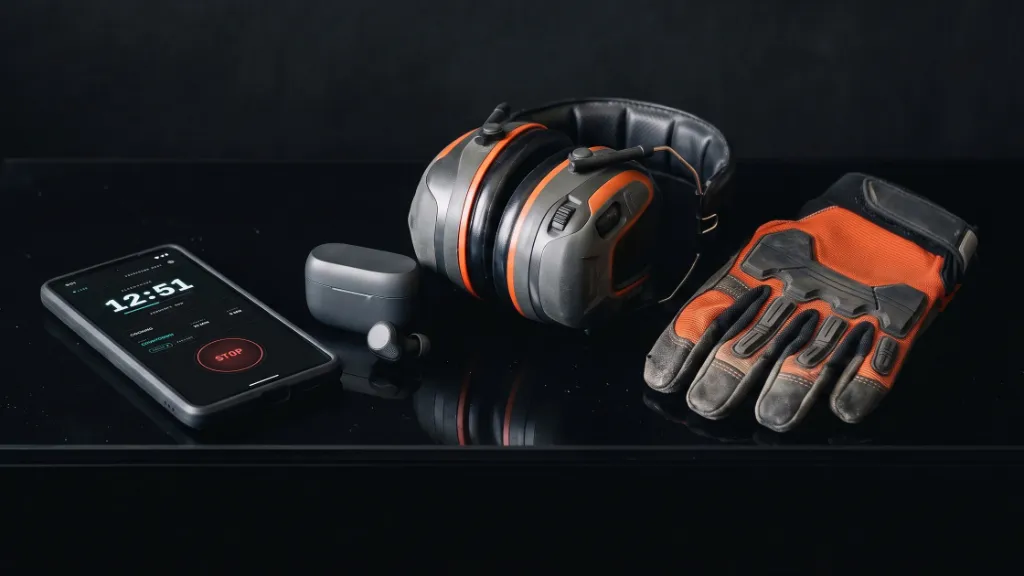
Connect your earbuds. That's the start button.
Most talking clocks wait for you to open them. Time Aloud starts when your Bluetooth device connects, and stops when it disconnects.
Tag your devices once
Pick your earbuds, headset, speaker or truck stereo in the app and approve a one-time link.
Give each one a routine
Jobsite earbuds start the workday clock; running headphones start the workout countdown.
Connect and go
Announcements begin when they connect. Disconnect and it stops — or waits out a short grace period if the signal drops.
Made for hands-busy work
You are mid-task, you need the time, and pulling out your phone is the wrong answer.
Gloves on, phone in pocket
Up a ladder with a drill in one hand. The time arrives in your earbud instead of on a screen.
Eyes up, pace unbroken
Hands stay on the bars. Elapsed time lands in your ears without a glance at your wrist.
Flour to the elbows
Two things in the oven and nothing to wipe your hands on. Hear the countdown as it runs.
Without breaking the flow
Checking a screen pulls you out of the work. A spoken marker keeps the session honest.
Three things it does well
Set it once, then listen. Everything below is what the app actually does today.
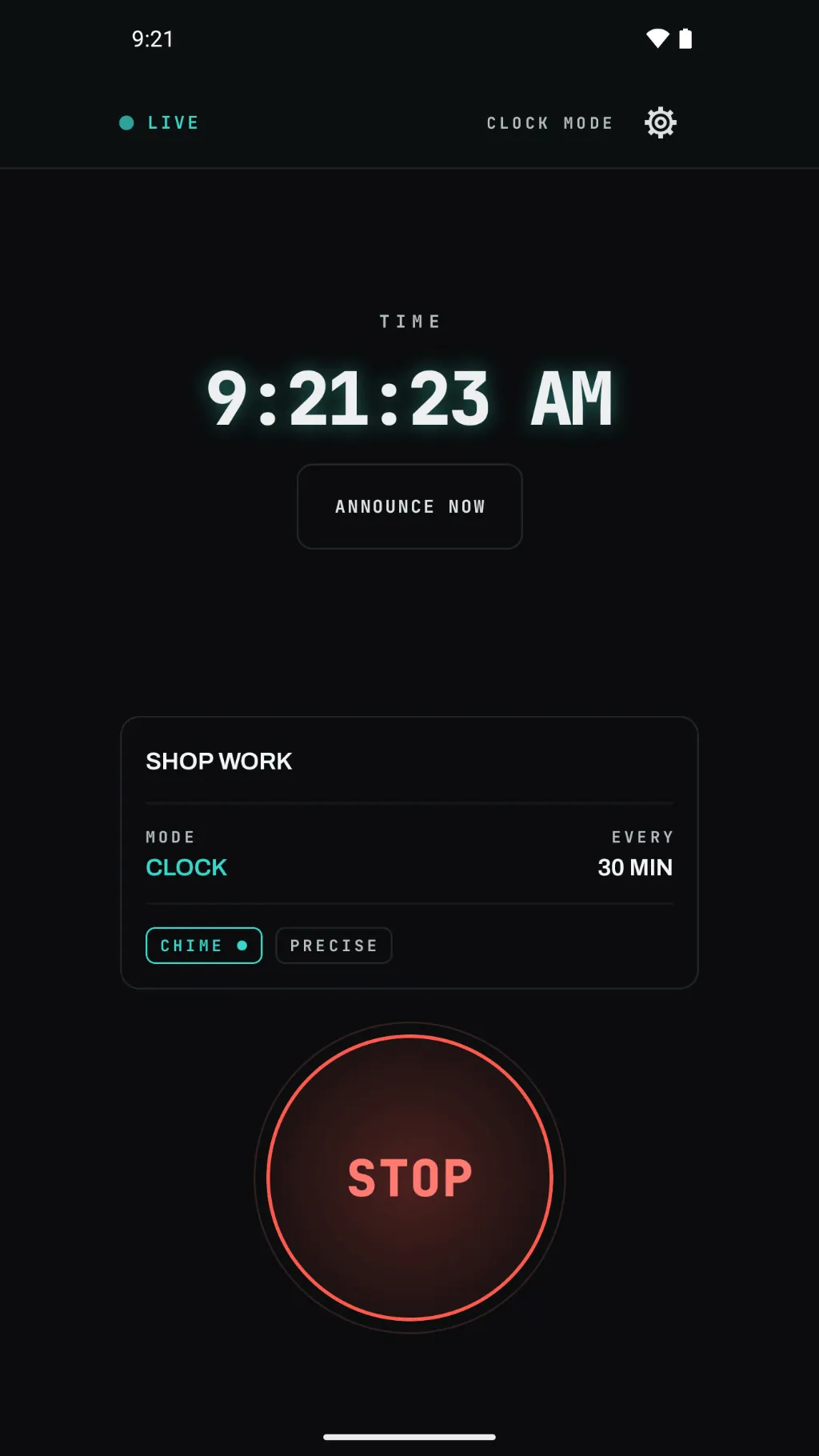
Time without looking
Three modes, one at a time: the current time, the time elapsed since you started, or a countdown to the moment you set.
- Announcements repeat on the interval you choose — every five minutes, every quarter hour, whatever the job needs.
- It can speak the way a person does: quarter to three, not two forty-five p.m.
- Announcements land on your schedule, not to the second.
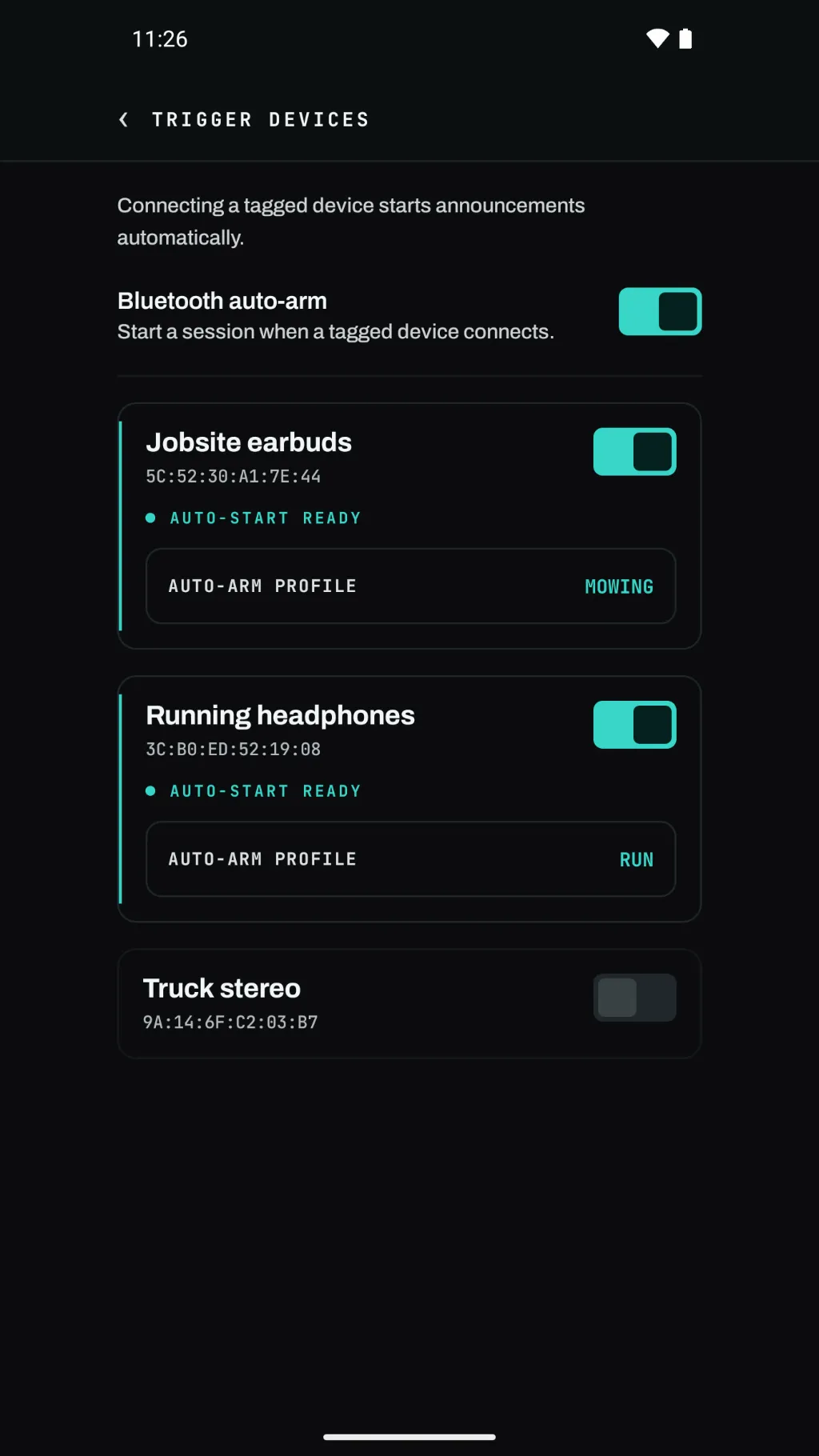
A routine for every device
Save a profile for each kind of day — a workday clock, a workout countdown — and tag each device to the one it should start.
- A home-screen widget and a quick-settings tile are there when you want to start by hand.
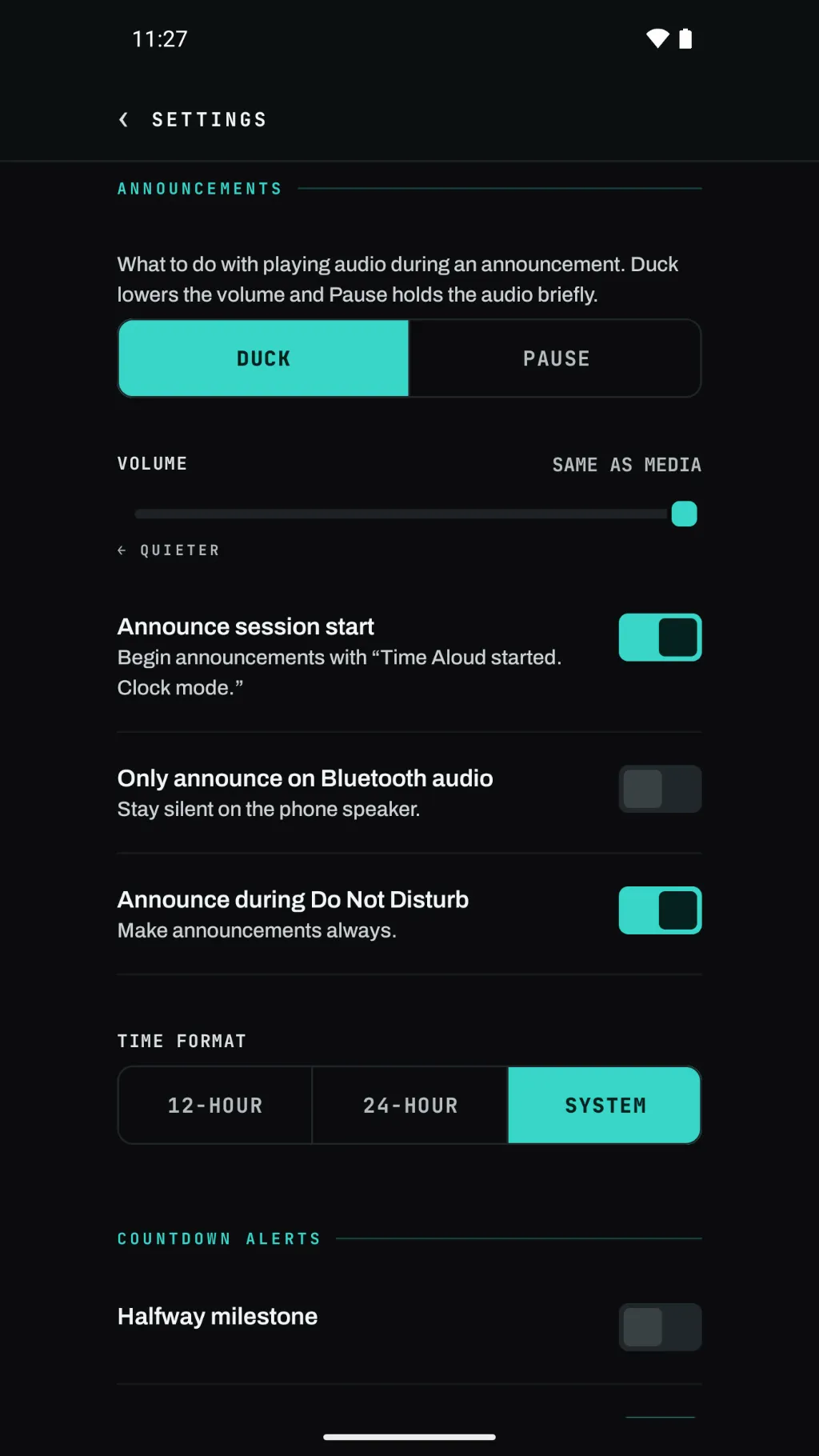
Polite with your audio
Announcements speak over your music or podcast by lowering it for a moment, or pausing it and resuming after. Your choice.
- Never speaks during a phone call.
- Earbuds or a speaker — it uses whatever you are already listening on.
- No constant background work: the app wakes only to speak.
It has no internet permission
Not a promise in a policy — a capability the app was never given.
Time Aloud does not request Android's internet permission. Android enforces that at the system level: without it the app cannot open a network connection, so it has no way to send anything to us. You can confirm that in the app manifest, which anyone can check.
No accounts, no sign-in, no analytics, no ads. The app collects nothing: your profiles and settings live on your phone, and we have no server to send them to. The app works in airplane mode.
Buy it once
Free to try — the trial counts only the days you actually use it — and then a one-time unlock. No subscription, no ads.
Questions people ask first
Short answers about battery, Bluetooth, calls, and the trial.
Will it drain my battery?
There is no constant background work — the app wakes only to speak, then goes back to sleep. Between announcements it is not doing anything.
Do I have to start it every time?
No. Tag your Bluetooth earbuds once and connecting them starts your session on its own; disconnecting them stops it. You can also start and stop by hand from the home-screen widget or the quick-settings tile. On Android 12, connecting shows a one-tap notification to start instead.
What happens when I am on a phone call?
It stays quiet. Time Aloud never speaks during a call, and picks its schedule back up once the call ends.
What counts as a usage day in the trial?
Only a day the app actually speaks. If you do not run a session that day, it does not come off your trial — so a week away from the tools costs you nothing.
Does it need an internet connection?
It cannot use one. The app has no internet permission, so it does all its work on the phone — including in airplane mode. (Buying the unlock goes through Google Play, which needs a connection.)
Is there an iPhone version?
No. Time Aloud is an Android app.
Where do I get it?
On the Google Play Store. Use the button below, or search for Time Aloud on Google Play.